Project overview
PharmaServe wanted an AI assistant on its website to provide immediate front-line support for common customer questions, rather than relying on more expensive human channels such as chat, email, and phone. The goal was to reduce human support interactions by 15% while maintaining customer satisfaction and conversion rates.
Team
I served as overall lead and designer on a small team, working closely with our lead developer and a project manager who tracked deliverables with the client.
Solution
The solution was built on scalable Heroku infrastructure so the application can grow as volume increases. The system uses the OpenAI ChatGPT base layer, augmented with customized prompting and a knowledge base assembled from public website content, existing human chat logs, email history, and chat transcripts, together with a custom performance review and weighting system.
Conversation analysis
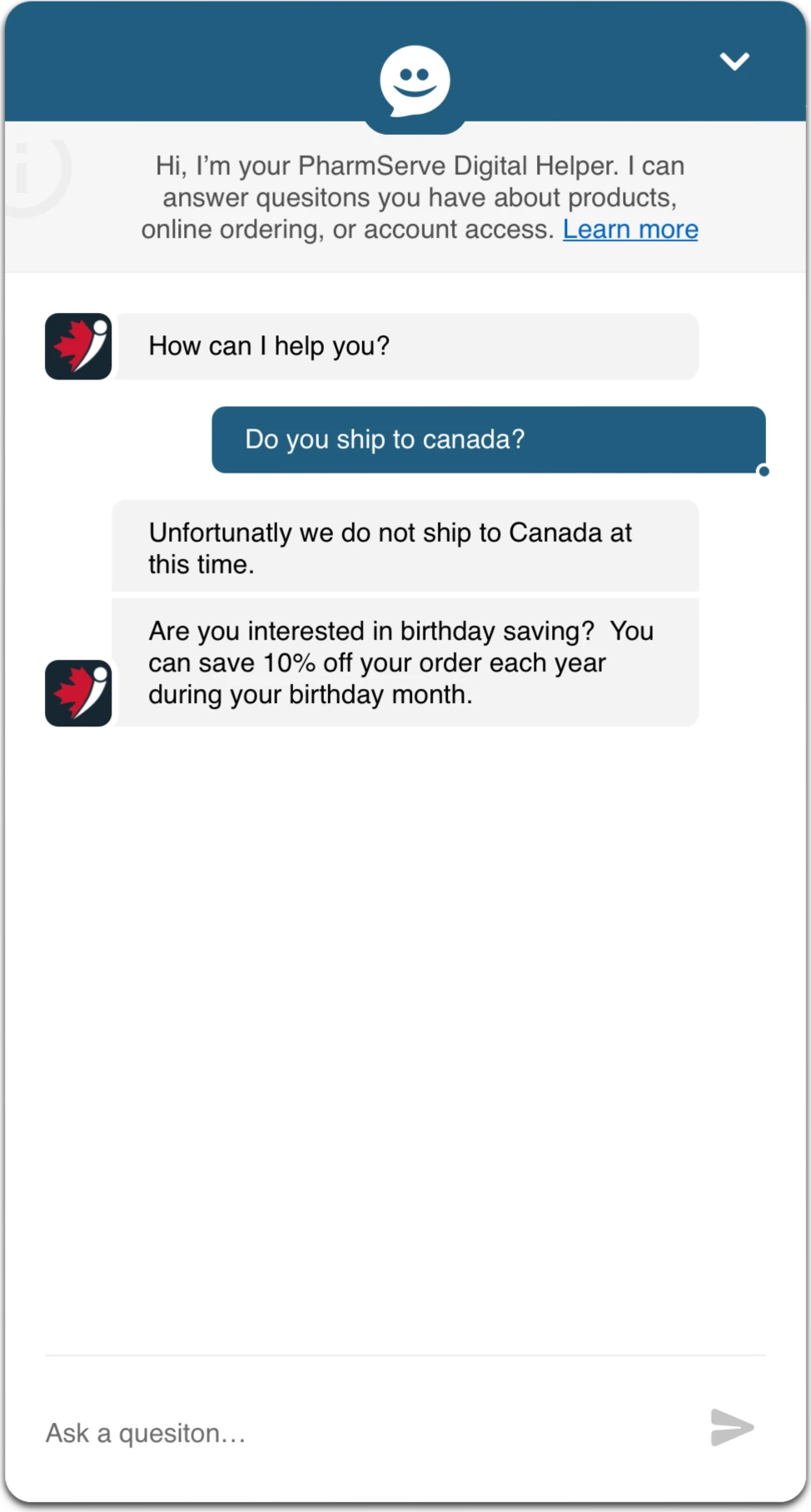
Central to an effective and reliable AI assistant is that its answers are accurate and delivered in a natural dialogue flow. To quality-check the system, we prepared collections of tasks for users to perform against it. Subject matter experts reviewed the chat sessions for accuracy, and our build team reviewed them for dialogue flow.
Where we found deviations, we traced back through the engine to determine whether more source data was needed or whether inconsistent or contradictory data existed. Running the same tests multiple times proved key. It revealed where the same question was answered in different ways, which pointed to contradictory data that could then be removed.
A key takeaway was that web pages used as a source must be manually reviewed for hidden or commented-out content, because old development patches can cause problems. To trace the source of inconsistencies, we strictly tracked the origin of each data point as we collected and vectorized the public site data.
Prompt engineering
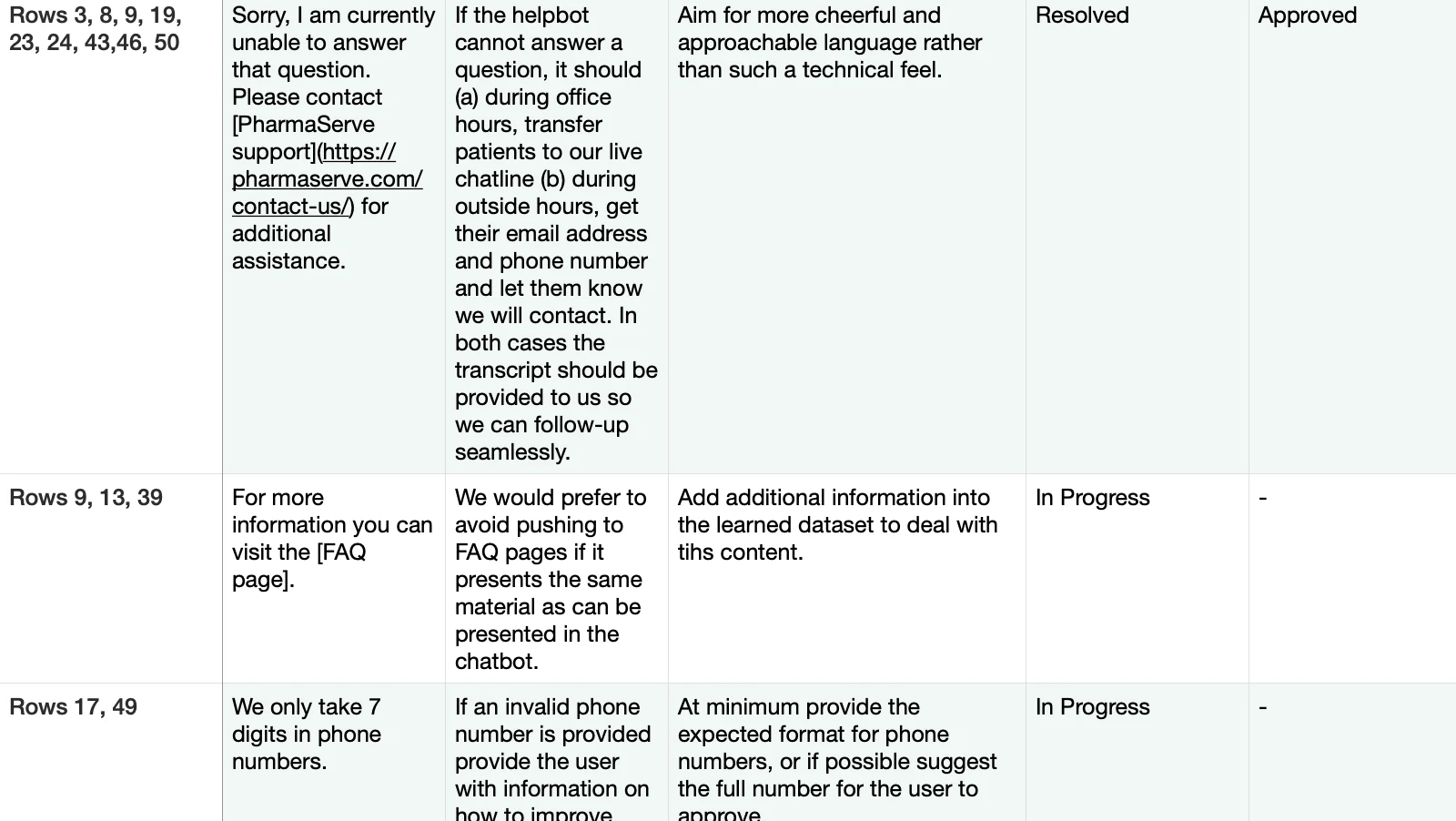
As AI systems advance, prompt engineering is becoming more critical to building effective ones. Prompts define what the assistant should respond to, how it should respond, and, importantly, the boundaries of what it can and cannot answer.
As with all programming, short cycles of design, build, test, and refine are key. Regular testing matters most as new functionality and content are added to the system.

Animation for effect
To humanize the system, we added simple moments of joy to the interaction through an animated visual. Simple visual cues can improve user acceptance of an application and draw attention at the right moments. The animation provides three key transformations:
- Wave. Draws attention when the user has paused on the page for an extended period.
- Question mark. Appears when the assistant is clarifying with the user.
- Tracking eyes. The icon's eyes follow the pop-over as it expands, drawing attention to it.

Design system
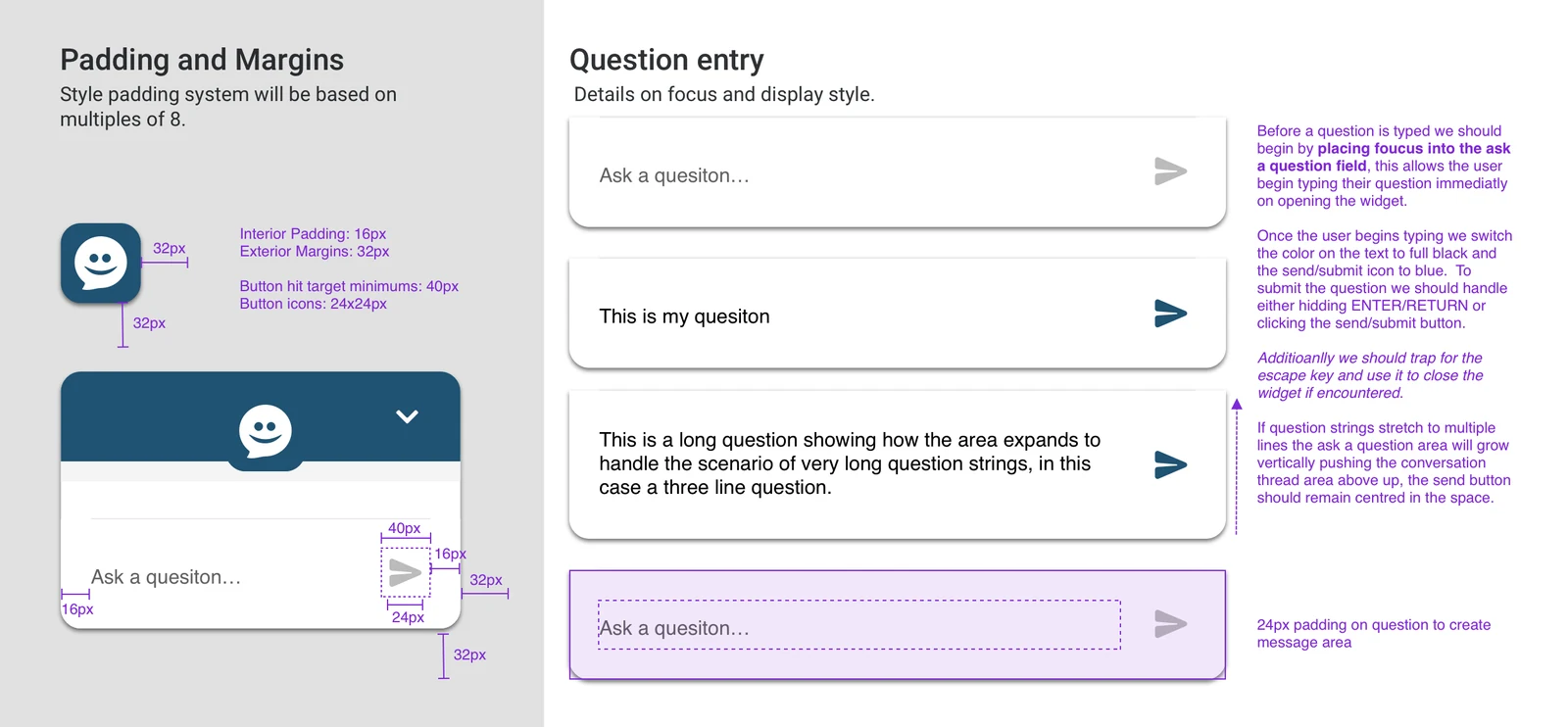
Even in a simple interface with minimal elements, following a design system is key. We worked to a pattern based on multiples of eight, applying it to padding, margins, and rounding. It gives the interface a polished look and can improve user satisfaction ratings.
Deliverables
A key goal was extensibility: a solution that meets the client's needs today and provides a solid base to grow. We built it with a SaaS model in mind, providing:
- Hosted, scalable infrastructure for the service.
- JavaScript integration code for the existing website.
- Endpoints for LLM training and tuning.
- Support materials and documentation.
Leadership perspective
- Explain the "magic". The fundamentals of how AI works are hard to convey to non-technical audiences, so users need a clear sense of whether they are communicating with a human or an AI. Avoiding conversation loops is key to preventing frustration.
- Source quality matters. The quality of production code and structure affects any effort to use website content to train an AI system, because hidden elements can easily enter the data pool.